

|
Name |
Photo Curves |
|---|---|
|
Google Play Link |
GET IT ON
Google Play
|
|
Category |
Photography |
|
Developer |
Curved Nebula |
| Last version | 1.2.40 |
|
Updated |
|
|
Compatible with |
Android 7.0+ |
Introduction to Photo Curves APK
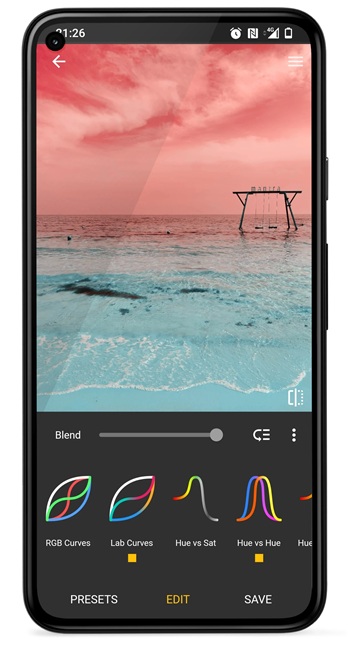
Photo Curves is a mobile app built for anyone who wants precise control over color grading without needing a computer. It runs on Android devices and offers a full set of editing tools used in professional workflows. The layout is simple, so users can jump straight into adjusting tones or shaping color without dealing with complicated menus.
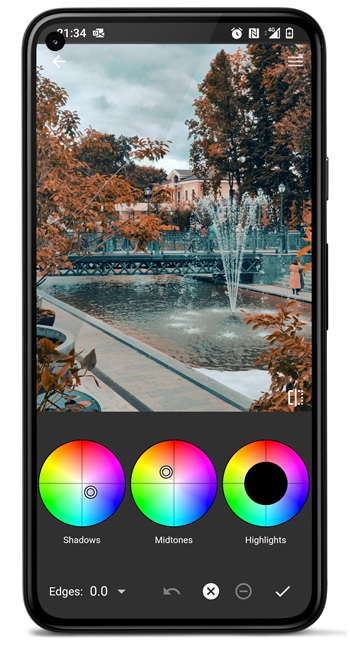
The app focuses on detailed color correction. It lets users fine-tune brightness, contrast, and saturation with noticeable accuracy. There are also color wheels for shadows, midtones, and highlights, which help create cleaner and more balanced tones. These tools make it practical for quick edits or more creative looks.
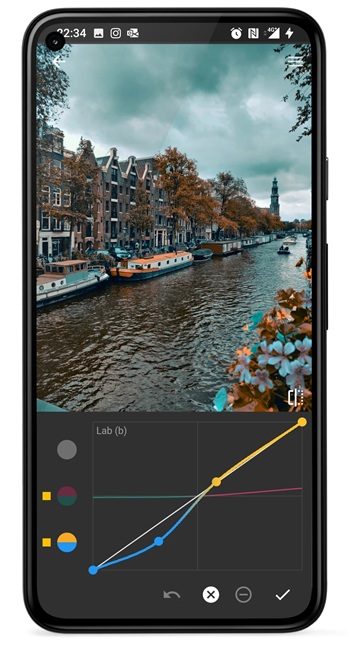
One of the strongest parts of the app is its variety of curve-based controls. It includes RGB curves, CMYK curves, and LAB curves. Each one works differently, giving users more ways to fix color issues or push a specific style. LAB curves in particular allow color shifts without changing brightness, which helps achieve interesting results.
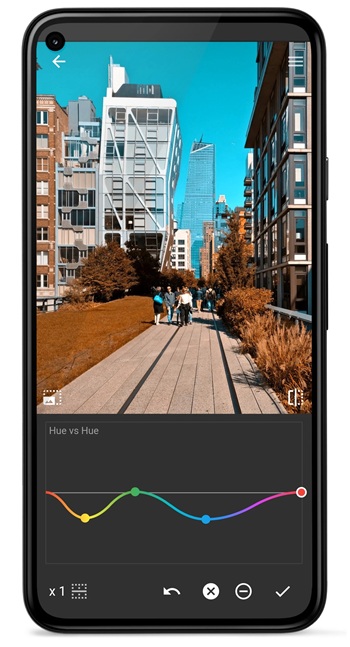
Photo Curves also includes several targeted adjustment curves such as Hue vs Saturation, Hue vs Hue, and Luma vs Saturation. These curves help adjust very specific parts of an image, like toning down overly bright colors or lifting the brightness of certain hues. Users can shape the image with small, controlled adjustments rather than relying on heavy filters.
Another helpful feature is the masking system. It allows users to edit only selected parts of an image by drawing on an adjustment layer. This works well for portraits, product shots, or any scene where certain areas need different treatment. It offers a level of precision that many mobile apps don’t include.
The app features a preset library where users can save and organize their own looks. It also supports exporting color grading settings as 3DLUT files, making it suitable for creators who work across multiple platforms. Shared presets are fully editable, giving users freedom to tweak any style.
There are still some limitations. The interface may feel complex to beginners due to the number of professional tools. Some curve adjustments require practice to understand. The app fits best for users who enjoy detailed editing or want to build their own filters. It works well for photographers, video editors, and anyone who wants consistent color control in their workflow.
FAQs Photo Curves
What is Photo Curves?
+
Photo Curves is a mobile editing app that focuses on detailed color grading tools for photos and videos.
How does Photo Curves handle color correction?
+
It uses wheels, curves, and targeted adjustment tools to refine tones and shift colors with accurate control.
Can beginners use Photo Curves easily?
+
Yes, though the many curve tools may take practice, the interface stays simple enough for new users to learn.
Does Photo Curves support custom filters?
+
Users can build their own presets and export them as 3DLUT files for use in other apps or shared projects.
Who benefits most from Photo Curves?
+
Photographers, video creators, and users who want detailed control over color and tone will find it most helpful.
Discover More Interesting Apps
-
 Mod
Mod
Remini
v3.7.1464.202525521
249.64 Mb
Updated -
Mod
Dazz Cam
v5.0.42
24.90 Mb
Updated -
Mod
Polish
v1.802.266
48.35 Mb
Updated -
Mod
Google Photos
v7.96.0.996044120
222.28 Mb
Updated -
Mod
Beauty Plus
v7.47.0
529.97 Mb
Updated -
REFRAKT
v2.0.06
107.00 Mb
Updated -
Mod
PhotoRoom
v2026.41.02
229.45 Mb
Updated -
Mod
PREQUEL
v2.5.0
142.34 Mb
Updated -
Mod
Intervalometer
v2.10.1
6.00 Mb
Updated -
Mod
Clone AI
v10.4.2
109.32 Mb
Updated





Share Your Thoughts